Welcome!

Welcome! Thank you for visiting the Video Voice Speech Training System blog. Our goal here is to provide a forum for sharing ideas about using this exciting speech development tool, learning about new enhancements to the program, and stimulating interaction between people who are already using Video Voice or who are considering it for their speech therapy needs.  Please join us and share your experiences, ask questions, or make suggestions for new features or capabilities. We're here to listen as well as talk!

To learn more about this innovative speech therapy aid or download a Free Trial, visit www.videovoice.com.

Showing posts with label autism. Show all posts

Tuesday, October 1, 2013

A Little Bit of Magic

Whether for accurate production of a target by simply encouraging an autistic child to make a sound, a hearing-impaired child to produce a sound or word accurately, of a stutterer to achieve fluency in connected speech, Video Voice motivates and applauds the desired speech behavior with colorful, graphic animations and sounds.  These reward graphics can be automatic in response to a therapist-defined goal, or manually activated by clicking the Reward button.

A while back, a husband and wife Behavioral Psychology consulting team visited our office to discuss how Video Voice might be helpful in their practice.  They work with children on the low-functioning end of the autism spectrum.  The wife, who is also a Speech-Language Pathologist, was well-acquainted with the power of Video Voice, having successfully used an earlier version (Apple IIe!!) previously in a school setting.   The husband wanted something more than a clickable Reward button, though.  He wanted to be able to activate rewards himself, secretly.  This would give him control over the reinforcement schedule, and let him "applaud" even minimal vocalization.  In his words, he wanted a "remote clicker."  The goal was for the child to associate vocalization with something fun on the screen, something he made happen by using his voice. 

Red Button Bar for Reward ActivationIn the release of Version 3.0.129, this idea came to fruition, and works anywhere you see a Reward button.  Simply start the display, then slide the cursor down to any empty space on the red button bar at the bottom of the screen.  Encourage the child to use his voice, and whenever you think he should be rewarded, right-click the mouse, and voila!  A congratulatory message and/or reward animation or progress toward a game goal will happen. Magic!!

If you have a wireless mouse, you can pick it up and place it at your side where the click won't be seen or heard.  Your mouse becomes your "remote control."  You might want to practice this on your own first, to develop a polished "slight of hand."

Hint: for a little more “magic,” remember that you can also customize the reward text and audios to personalize the experience for each child.  See our earlier post on Personalizing Feedback for more details on modifying Video Voice audio and video rewards.

You may find some individuals are motivated by the visual feedback alone - the colorful, changing displays in Pitch Painting and Kaleidoscope, movement of the train, car or horse in Chat-N-U-Go Choo-Choo, appearance of hidden pictures in Voice-A-Sketch, “eating up the dots” in Formant Gobble (Pac Man for speech!) mode. We've certainly heard from many therapists that their “kids” never want to quit trying!

In addition to animated graphic rewards, in some games and displays, performance at a therapist-defined goal reveals colorful congratulatory messages and sounds.  The child seeing his name on the electronic billboard also makes those rewards especially effective.

We're always on the lookout for new ideas on how to improve Video Voice.    Let us hear yours, too!

Yours in good speech,

Video Voice Support Team
mv@videovoice.com
1-800-537-2182
www.videovoice.com

Tuesday, August 23, 2011

Help!!

What do you do when you need help communicating information about speech with those in your caseload and getting them to understand how to make changes in their voices? The little boy who just can't seem to find the right tongue position for his 'R's. The girl whose slushy 'S' is driving you crazy. The youngster who just won't do purposeful voicing.

There are, of course, a plethora of speech therapy techniques and a number of tools available to streamline the process. One of those tools is the visual feedback on voice production Video Voice provides. We obviously believe its displays and games offer great benefits for communicating about most any aspect of speech development and remediation, and so do the many speech-language pathologists who have added it to their tool kits.

But what do you do when you need help with Video Voice? Used to be, you’d pull out the big user manual and pore through the index for answers. The problem with printed documentation, however, is that it can all too quickly become out of date, especially if the software changes. Since we’re always working on adding to and improving Video Voice, changes are a common and frequent occurrence. We therefore decided not to provide a printed manual, but instead make it an internal, integral part of the software operation. As the program changes, so does its reference material.

On virtually every Video Voice screen, you’ll find a Help button. Clicking it opens the built-in manual to the page appropriate to the area you're using. This internal documentation is not the anemic, sketchy variety many software programs have, the kind that can raise more questions than they answer. Video Voice's Help file contains more than 150 "pages" of information, chock-full of details on what the controls do for you, and how they function. The pages have an on-line "feel" to them, and are loaded with links that easily transport you to other related parts of the manual.

There are other built-in tools, too, like the Help Me Choose interactive guide and the Solutions and Support materials, all of which have buttons/links on the Main Menu. The "tool tips" for controls that appear when you dwell your cursor over them also briefly describe function to let you know if a control is what you need to use.

But sometimes you just really need to talk to somebody! We're proud to offer friendly, responsive support to both existing Video Voice users and those who are evaluating to see how it can meet their needs. You can ask your questions or get suggestions for appropriate use with different speech problems either by phone or email. Most of the time when you call, you'll hear a real person's voice on the other end of the line. If you do happen to get a recorded voice, just leave your name and number, and we'll call you back as soon as we can.

Just the other day a speech-language pathologist who's considering Video Voice called for guidance on what things would be most helpful with children she works with. Her caseload runs the gamut of the autism spectrum, from low-functioning, preschool-aged children who need vocal awareness encouragement to older, fluent ones who need to work on expressive function, particularly increasing pitch range and intonation skills. I was able to make a variety of suggestions for both cases. For the little ones who need to develop understanding that something happens when they use their voices, games like Chat-N-U-Go Choo-Choo and Pitch Painting can communicate that cause and effect. For the older boy who speaks in a monotone, P-A-R Pitch displays can illustrate desired voicing, pitch and fluent intonation in a sentence like "How ARE you?" vs. how it looks and sounds differently when he uses a flat pitch with distinct pauses between words. There are lots of other options, too, but we only talked about those few in our brief conversation.

We all need a little help sometimes, and that includes us. We do our very best to make Video Voice a flexible, easy-to-use tool, but hearing from speech-language pathologists (or others) about how they're using the displays helps us understand what we can do to make it even more effective. Of course we like to hear about things you like, but just as important are the things you don't like. If you have problems, they’re our problems, too, but we can’t fix them if we don’t know they exist. We welcome all feedback, so please give us yours!

In closing, here’s a little musical entertainment that fits the bill, and might just put a smile on your face: http://www.youtube.com/watch?v=606ZcMKXlUg. 

And remember, when you need someone, we're here to help!

Video Voice Support Team
mv@videovoice.com
1-800-537-2182
www.videovoice.com

Friday, July 29, 2011

Hey, I Have A Voice!

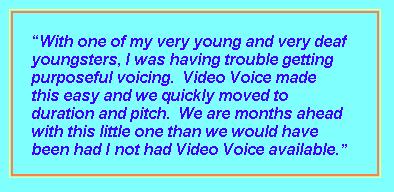
Over the years, we’ve talked with many therapists who have told us they find Video Voice most helpful with young children who come into their programs with little or no awareness of their voices. In particular, profoundly deaf youngsters often start off with no idea that vocalization is even an option. Visual stimulus for those little ones can be a key that unlocks a hidden door, helping them understand that "I have a voice, and something happens when I use it!" 

Video Voice has many options to assist with this first building block of speech. The simplest are those like Pitch Painting, Magic Box (Magic Blocks option), Kaleidoscope and On The Air, in which any sound results in colorful response from the display.


Others like Chat-N-U-Go Choo-Choo and Voice-A-Sketch can be set so that any form of sound onset or ongoing vocalization will result in a change in the display. With Choo-Choo, it can be the train, car or horse moving after a vocal onset or sustained phonation is detected. With Voice-A-Sketch, a picture will be gradually be revealed. You can use these games to start with simple phonation or onsets (then later move to work on volume control, specific sounds and words).

The Up, Up and Away game, the object it to try a balloon across a mountain range. The balloon only moves when voicing is present, and its height is related to the volume level. If the player This encourages vocalization, and allows for work on speaking volume as well.

With the Jumping Jack race game, you can use the More Volume option, but set the volume level required very low. Then, most any vocalization will make Jack run.

Another simple "cause and effect" game option is Laser Master.  In this game, vocalization activates a laser beam and moves an "alien space ship" out into space (off the screen).  Although the general purpose of this game is for pitch and/or volume work, the Duration goal simplifies operation, and any pitch or volume will make the space ship glide across the screen. 

In addition to the games, Video Voice offers other graphic displays to help develop cognition of speech, such as the Formant Multi-Frequency Spectral display and Formant Gobble.  The Spectral display provides visual feedback with a colorful graph of all three Formant frequencies simultaneously.  The Gobble display is like "Pac-Man for speech" - the goal is to eat up a sound pattern.  The live nature of these displays is a very powerful way to illustrate the presence (or absence) of speech.

These are just some of the ways visual feedback can stimulate the awareness and use of voice. Whether you’re working with hearing impaired children, those with autism who need encouragement to develop their speech skills, or youngsters those who are relearning vocal control after a head injury, you’re sure to find something in Video Voice that will pique their interest and get them talking!

Yours in good speech,

Video Voice Support Team
1-800-537-2182


Monday, June 27, 2011

Picture Perfect Speech

There are many aspects of Video Voice that can be adapted to meet the individual needs of the people you work with. You can specify the kinds of reward images and sounds that you want to see and hear. You can choose how scores appear in the Formant and P-A-R displays, as well as some aspects of their calculation. In the games, you can control which reward sounds are played at the end of the game, default Fade Speed, Pitch Range and other aspects of score display and game operation.  Changes you make can be stored as part of your Therapist ID settings , or, if you have a individual’s data folder active, settings can be permanently saved there.  Then, any time you reactivate that person’s data folder, the individualized settings  are automatically used.

The game that has the most options for customization is Voice-A-Sketch.  In that game, meeting the defined speech goal results in a picture appearing, either in pieces or in "window shade" fashion.  (The goals can be continuous phonation, volume above or below a defined target level, production of a target sound or work, and more.)  There are 78 high-quality built-in pictures to choose from, but you can also use images you have stored on your computer.

A few years ago, a therapist who works with autistic children said she felt they would respond more favorably if familiar images appeared - family members, pets or other objects of particular interest to them.  We responded by adding a new Graphics Source control that lets you use either the Built-In or My Own Pictures.  If you choose the latter, Video Voice looks in the My Documents/My Pictures area of your computer, and lets you choose from any images you have stored there.

This provides some very powerful personalization of the game. Say you’ve got a little girl who is very motivated by horses, or a little boy who loves sports cars. You can set up folders under their names in your My Pictures area and fill them with those kinds of images.

There are literally thousands of pictures available online of nearly any image type. Google or other search engines can assist you in locating them. When you find one you want to use, simply right-click on it and use the "Save Image As" option to put a copy of the .jpg or .gif in the desired My Pictures folder.  Voila!  You’ve now got a picture you can use in Voice-A-Sketch.

When importing pictures into Voice-A-Sketch, you don’t have to worry about the shape and size. Video Voice will size the pictures to best fit within the available space and adapt the picture frame accordingly.  The best images will be landscape in orientation, because that’s how the screen’s "easel space" is laid out, but any size or shape will work.

The possibilities are endless!  Have fun personalizing Voice-A-Sketch to make it even more uniquely motivating for individual cases.  If it’s an option for you, you even can involve them in the search for pictures they’d like to see, and use that as a therapy activity, too.

Yours in good speech,

Video Voice Support Team
http://www.videovoice.com/
1-800-537-2182
mv@videovoice.com

Wednesday, February 23, 2011

Shared Smiles

Probably the most rewarding part of about being involved with Video Voice is hearing stories about how it helps people. We get lots of positive feedback from users, and I thought I’d share a few with you.

A year or so ago, a therapist told us about using the Voice-A-Sketch game with one of her students with fluency problems. She had him try to reveal an entire hidden picture with by sustaining vocalization of a sentence, and he’d been practicing diligently. A teaching aide who was in the room with them as he successfully completed the task spun around in surprise - it was the first time she'd heard him form a complete sentence without stuttering!

A therapist who uses Video Voice with autistic students told us that it really motivates them to participate in speech therapy. In fact, sometimes it's the ONLY thing they will respond to! (Obviously, that’s not the ultimate goal, but at least it’s a start.)

Pitch awareness and control is a common problem for hearing-impaired students, and that was the case with a profoundly deaf third grader. Her voice was shrill and squeaky, so her therapist used the Pitch Painting game to help her learn to lower her pitch. That game represents, pitch as colors in a spectrum, with high pitch appearing as light colors such as yellow and white. The child’s goal was to keep her colors "under pink," and she was able to achieve that goal regularly while using the display. Carry-over is always a challenge, though, so the therapist came up with a creative idea for times when they were not at the computer. She began to sign "under pink" when her pitch was too high, and the child would respond by lowering it. They taught teachers in her other classes to use that sign, too, and all were impressed at how she responded appropriately.

Especially rewarding are the stories come from those who improved their speech skills with the visual feedback.

One of our favorite, long-time Video Voice users shared a story that had made her smile. While she was out shopping one day, a young woman approached her and said "I don't know if you remember me, but you were my speech therapist when I was in school. We used a computer program that helped me learn to say my R's correctly!" This was at least 10 years after the fact, but when she learned her name, she did recall her and their therapy goals. So pleased to be remembered and know she’d made a real difference in that young woman’s life, that she made sure to share the story with us.

Not long ago we received an email from a hearing-impaired woman who had run across the Video Voice website and thought it might be the same program she'd used in therapy about a decade earlier. She said she'd often thought about how Video Voice helped her understand what she needed to do with her voice, and wondered if it was still around. She was pleased to find that it was. Her therapist was the one who suggested the "train game" (Chat-N-U-Go Choo-Choo) to us, and offered guidance in the development of that activity. It was fun to hear that she remembered Video Voice fondly, particularly that activity, and felt she had benefitted from the feedback it provided.

These are just a few of the stories we’ve heard over the years. If you’ve had successes with people in your caseload either while using the Free Trial or full Video Voice program, we’d love to hear from you, too!

Video Voice Support Team
1-800-537-2182
mv@videovoice.com