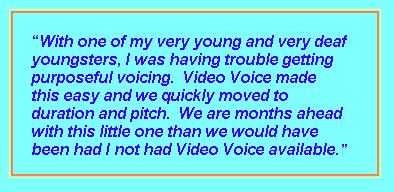
 Whether for accurate production of a target by simply encouraging an autistic child to make a sound, a hearing-impaired child to produce a sound or word accurately, of a stutterer to achieve fluency in connected speech, Video Voice motivates and applauds the desired speech behavior with colorful, graphic animations and sounds. These reward graphics can be automatic in response to a therapist-defined goal, or manually activated by clicking the Reward button.
A while back, a husband and wife Behavioral Psychology consulting team visited our office to discuss how Video Voice might be helpful in their practice. They work with children on the low-functioning end of the autism spectrum. The wife, who is also a Speech-Language Pathologist, was well-acquainted with the power of Video Voice, having successfully used an earlier version (Apple IIe!!)
previously in a school setting. The husband wanted something more than a clickable Reward button, though. He wanted to be able to activate rewards himself, secretly. This would give him control over the reinforcement schedule, and let him "applaud" even minimal vocalization. In his words, he wanted a "remote clicker." The goal was for the child to associate vocalization with something fun on the screen, something he made happen by using his voice.
 In the release of Version 3.0.129, this idea came to fruition, and works anywhere you see a Reward button. Simply start the display, then slide the cursor down to any empty space on the red button bar at the bottom of the screen. Encourage the child to use his voice, and whenever you think he should be rewarded, right-click the mouse, and voila! A congratulatory message and/or reward animation or progress toward a game goal will happen. Magic!!
Hint: for a little more “magic,” remember that you can also customize the reward text and audios to personalize the experience for each child. See our earlier post on Personalizing Feedback for more details on modifying Video Voice audio and video rewards.
 You may find some individuals are motivated by the visual feedback alone - the colorful, changing displays in Pitch Painting and Kaleidoscope, movement of the train, car or horse in Chat-N-U-Go Choo-Choo, appearance of hidden pictures in Voice-A-Sketch, “eating up the dots” in Formant Gobble (Pac Man for speech!) mode. We've certainly heard from many therapists that their “kids” never want to quit trying!
In addition to animated graphic rewards, in some games and displays, performance at a therapist-defined goal reveals colorful congratulatory messages and sounds. The child seeing his name on the electronic billboard also makes those rewards especially effective.
We're always on the lookout for new ideas on how to improve Video Voice. Let us hear yours, too!
Yours in good speech,
Video Voice Support Team
mv@videovoice.com
1-800-537-2182
www.videovoice.com